Skip to content

Cable Management for Conference and Meeting Rooms
By: CableOrganizer®
 Cable management in conference and meeting rooms ensures an efficient, functional and organized workspace for employees, clients, and visitors. Effective cable management requires sufficient charging access and power outlets for laptops and presentation equipment. It should also include a design strategy that keeps electrical cables organized and away from high-traffic areas, creating a seamless environment for productive meetings, and better collaboration.
A good rule of thumb is to start your cable management process during the design phase of the conference and meeting rooms. Doing this beforehand helps prevent cable clutter, and expensive fixes needed to achieve proper cable management.
PLANNING POWER OUTLETS
 It is essential that you make sure your conference room or meeting room can provide enough electrical outlets for everyone but make sure not to overload them. A popular fix for adding more outlets is using desktop outlets. Desktop outlets can range from all shapes and sizes to fit the size and shape of your table. Desktop outlets allow for easy access and efficiency for charging devices during meetings. If the wires on the table can be too distracting and a cleaner tabletop is preferred, pop-up floor boxes can provide power access while keeping outlets tucked away when not in use, their covers also help keep out dirt and moisture from any accidental spills that may occur.
GADGET PROTECTION FOR THE PEOPLE WHO HAVE MANY:
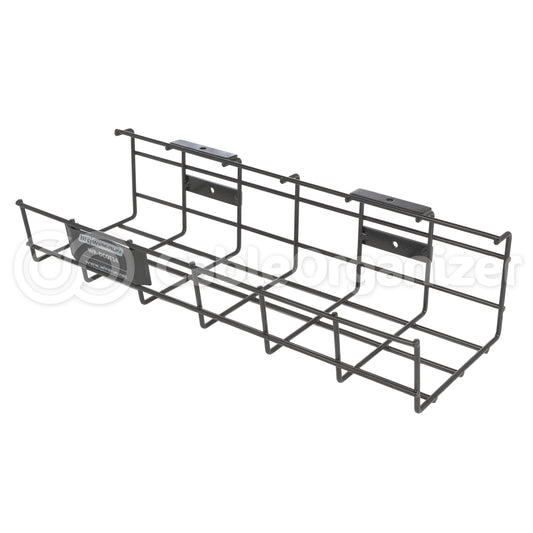
 After power access is in place, the focus now shifts to cable routing. Loose cables on the ground can look untidy and disorganized. Cable surface raceways help keep cables concealed and covered, giving the conference or meeting room a sleek and professional look. Cable surface raceways can stick right to drywall or even painted cinder block and come in neutral colors for an even more concealed look. While under-desk cable trays help keep the extra cords off the floor. Another suggestion for organizing cables that may be on a desk is by using desk cable grommets. Grommets are protective rings that can be inserted into panels, desks, or firewalls to help protect cables and wires from damage. Another use for them is to organize cables passing through desks, ensuring a neat and safer meeting room setup. Braided cable sleeving and wraps can also be used to help prevent tripping hazards and protect cables. Braided sleeving and wraps help blend wires into backgrounds with a variety of color options.
COMMON CABLE MANAGEMENT MISTAKES TO AVOID
Even with the right tools and planning, a few common mistakes can still reduce the effectiveness of a cable management system.
Overloading Power Strips
Overloading power strips is a common concern in conference and meeting rooms where several devices may need to operate with a limited number of outlets. Connecting too many items to a power source can lead to overheating, circuit failure, or fire risk. Safe cable and power management require distributing electrical loads appropriately and using surge protectors or power strips rated for the intended equipment.
Skipping Routine Maintenance
Routine maintenance is an important part of any office cable management system and helps keep conference room technology working reliably. Regular inspections, cleaning, and timely replacement of worn components help prevent failures, maintain safety, and ensure dependable long-term performance. Periodic inspections help keep the room looking organized and support reliable performance during meetings.
Using Zip Ties
Zip ties may seem like a quick fix, but they can make changes harder later. In spaces where equipment is moved or updated regularly, reusable hook-and-loop fasteners are often a better option because they allow cables to be adjusted without cutting and replacing materials.
Ignoring Compatibility
Using cables, adapters, or accessories that do not match device specifications can result in unreliable operation or permanent damage. Compatibility should be evaluated in terms of connector type, electrical requirements, performance standards, and environmental conditions.
Overall, a well-managed meeting or conference room supports both presentation and practicality. When cables and power access are planned carefully, the space is easier to maintain, safer for users, and better suited for day-to-day collaboration.